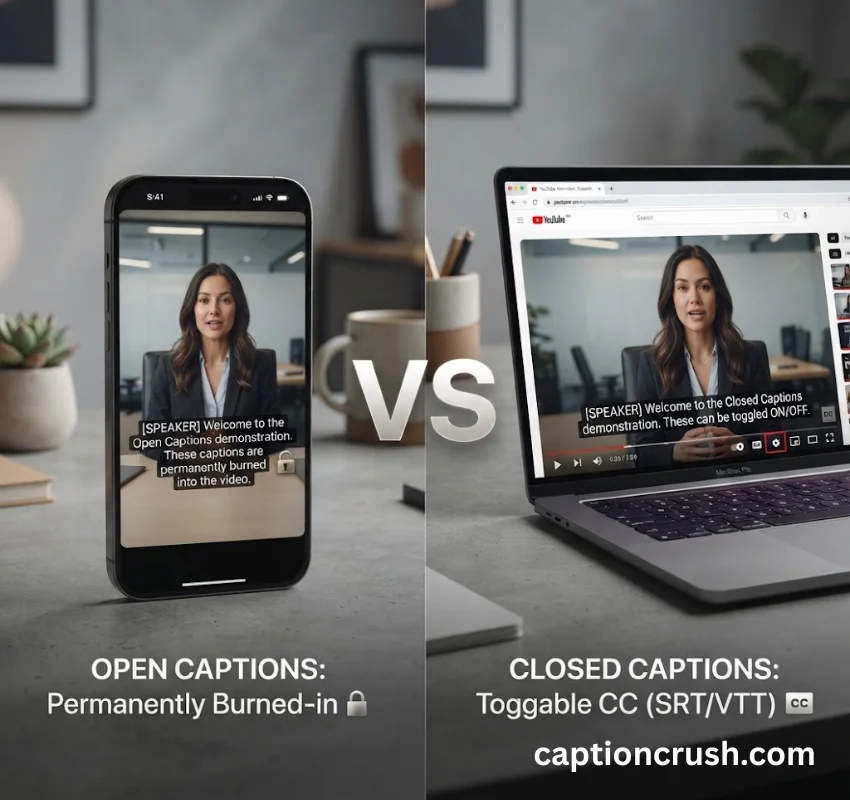
Closed vs Open Captions can be turned on or off. Open captions are burned into the video and stay on the screen no matter what. That’s the whole difference in one line — but the “which one should I use” question gets messier fast.
This guide breaks down open vs closed captions in plain terms, covers what your competitors’ articles leave out (SDH, format standards, why Gen Z keeps captions on), and gives you a clear answer for your next video project.
Table of Contents
What’s the Difference Between Open Captions and Closed Captions
Both types of captions show the same text — spoken dialogue plus sound cues like [phone ringing] or [door slams]. The real difference is control: who decides whether the text shows up.
Open captions are baked directly into the video file. They’re pixels, not text data, so a viewer can’t hide them even if they want to. Closed captions live in a separate file (like an SRT or VTT) that a video player reads and displays only when the viewer flips a switch.
| Feature | Open Captions | Closed Captions |
|---|---|---|
| Viewer can turn off? | No | Yes |
| Delivery method | Burned into the picture | Separate caption file |
| Works on Instagram feed? | Yes | No |
| Searchable by Google? | No | Yes |
| Fixable without re-editing video? | No | Yes |
| Meets FCC broadcast rules? | No | Yes |
According to the FCC’s caption rules under 47 CFR Part 79, US television broadcasters must provide closed captions on nearly all programming — open captions alone don’t satisfy that requirement.
Same content, different delivery. That’s the one sentence to remember when someone asks about closed vs open captions. Nothing in the actual wording changes. Only the on/off switch does.
Open Captions: Pros, Cons, and When to Use Them
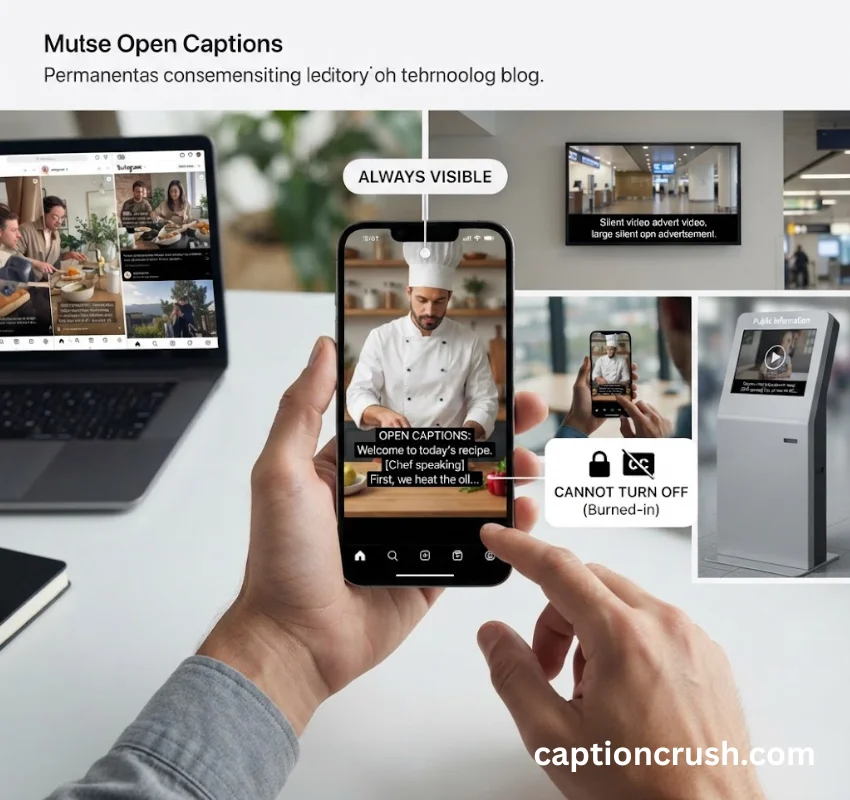
An open caption is text that’s permanently part of the video image. Think of it like a watermark — once it’s rendered in, it’s there for good.
What counts as an open caption? Any caption text burned directly into the video frames during export. There’s no toggle, no settings menu, no way to remove it short of re-editing the whole clip.
What Does “Open Caption” Mean in Movie Theaters?
An open-caption screening means the entire audience sees captions on the main screen — not just people using a personal device. These showings are scheduled at set times specifically to serve deaf and hard-of-hearing moviegoers.
This is different from closed captioning in theaters, which usually relies on a separate device — like the Rear Window Captioning System, a small reflective panel one viewer mounts at their seat while everyone else sees a caption-free screen. Chains like AMC and Cinemark list open-caption showtimes separately in their listings, so you can search “open caption” directly on their sites to find a session.
Why open captions win on social media: Most platforms autoplay video with the sound muted by default. If your captions live in a separate file, nobody sees them. Burn them in, and every viewer gets the message — sound on or off.
- Pros: always visible, works on platforms with no caption toggle (Instagram feed posts, for example), guarantees every viewer has the identical experience
- Cons: can’t be switched off, isn’t indexed by search engines, and a single typo means re-exporting the entire video
Best for: short-form social clips, digital signage, kiosks, and any spot where captions are legally or practically required to always be on.
Must Visit: 150+ Epic Instagram Captions for Friends (2026): Fun & Heartwarming Ideas for Every Friendship Moment
Closed Captions: Pros, Cons, and When to Use Them
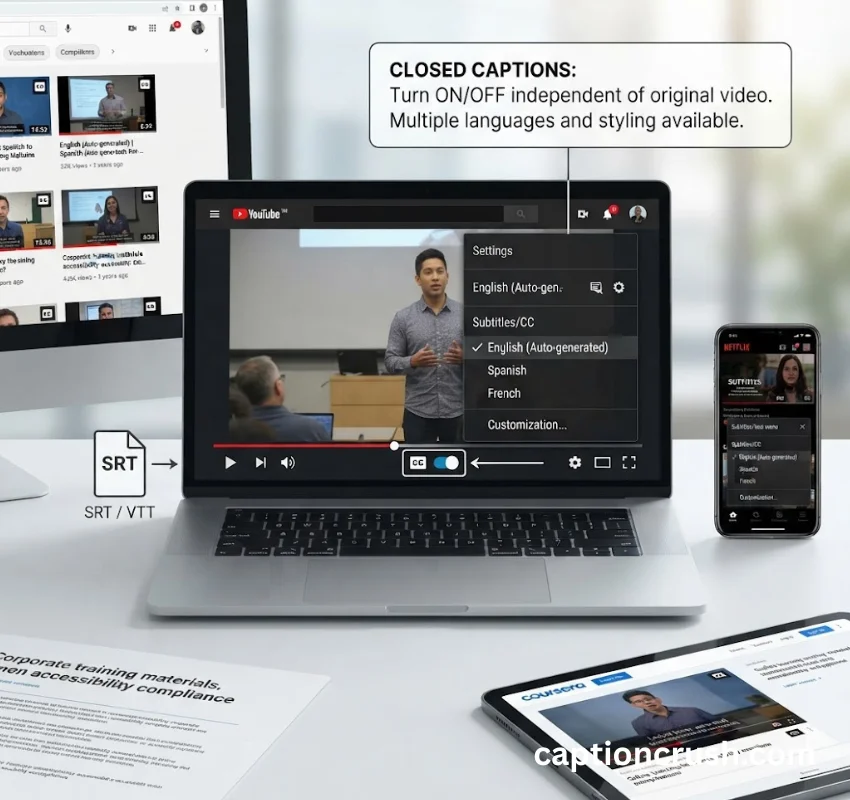
A closed caption gives the viewer the choice. The text sits in a companion file, and the video player renders it on top of the picture only when the setting is switched on.
What is a closed caption, exactly? It’s a timed-text file — commonly SRT, VTT, SCC, or MCC — that syncs to the video’s timeline. The video itself stays untouched.
Closed Caption Standards and Formats
Not all caption files are built the same, and mixing them up causes real headaches during delivery. Here’s a quick reference:
- SCC / MCC — used for US broadcast delivery, tied to the EIA-608 and CTA-708 caption standards
- WebVTT — the standard for web video players (YouTube, HTML5 players)
- SRT — the most portable format, but it carries no styling or positioning data
- TTML / IMSC — used by streaming platforms like Netflix and Amazon
The Americans with Disabilities Act (ADA) Title II rule now sets WCAG 2.1 Level AA as the accessibility bar for state and local government video content, with compliance deadlines landing in April 2027 for larger entities and April 2028 for smaller ones. If you produce content for a public institution, closed captions in an accessible format aren’t optional — they’re a legal deadline on the calendar.
Why closed captions dominate streaming and education: Viewers get to choose. Someone studying a lecture at 1 a.m. with a sleeping roommate can flip captions on. Someone who prefers a clean screen can leave them off.
- Pros: viewer control, customizable font/size/color on many platforms, fully searchable and indexable, editable without touching the source video
- Cons: not every platform supports them (Instagram feed video is the classic example), and the viewer has to know how to turn them on
Best for: YouTube, streaming platforms, educational content, corporate training, and anywhere viewers expect to customize their own experience.
Closed vs Open Captions: Which One Is Actually Better
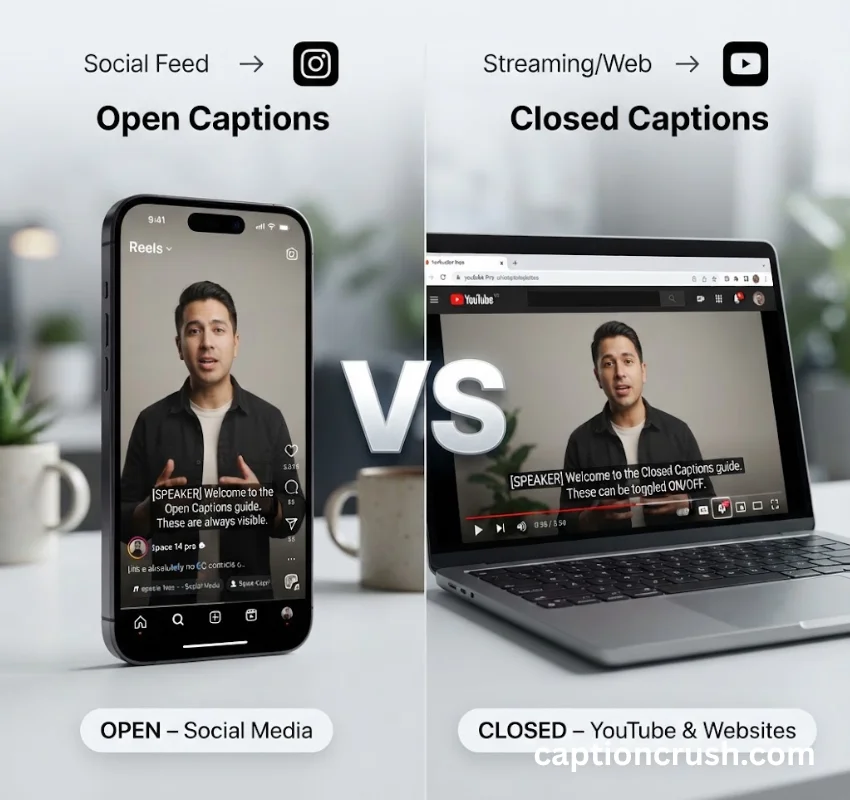
Neither format is objectively better — the right pick depends entirely on where the video lives and who’s watching it.
Is open or closed captioning better for social media? Open captions win here, because muted autoplay is the default across nearly every feed-based platform. Tyler Denk, CEO of newsletter platform beehiv, put it simply: open captions matter most “when the environment is a high-volume/fast-moving feed-based environment and/or users will be unable to turn their sound on or off.” That’s Instagram, TikTok, and X in a nutshell.
Is open or closed captioning better for YouTube or a website? Closed captions win there. Viewers already control their own playback settings, search engines can index the caption file, and edits don’t require re-rendering the video.
A quick decision path:
- Posting to a social feed → open captions
- Hosting on your own site or YouTube → closed captions
- Legal or ADA/FCC compliance required → closed captions (or open, only if the platform can’t support a toggle)
- Need translation for another market → closed captions or SDH
Plenty of brands don’t pick one — they use both. A company might publish the social cut with open captions burned in, then upload the same video to YouTube with closed captions so viewers there can toggle them.
Why Gen Z Prefers Captions On, Even With the Sound Available
Why does Gen Z like closed captioning? It’s not just an accessibility habit anymore — it’s a viewing default. Netflix reported that 40% of its viewers watch with captions turned on at all times, and younger audiences drive a big share of that number.
A few reasons this trend has stuck:
- Silent scrolling — many people watch video in public, at work, or in bed next to someone sleeping, so captions replace sound entirely
- Multitasking — captions let viewers half-watch a show while texting or browsing without losing the plot
- Faster comprehension — fast-talking creators, thick accents, or mumbled dialogue are easier to follow with text backup
- Habit from platforms — TikTok and Instagram trained a generation to expect captions on every video by default
This shifts captions from a pure accessibility feature into a mainstream comprehension tool. Ignore captioning, and you’re not just skipping compliance — you’re losing a chunk of your audience’s attention.
Captions vs Subtitles vs SDH: Don’t Confuse These Terms
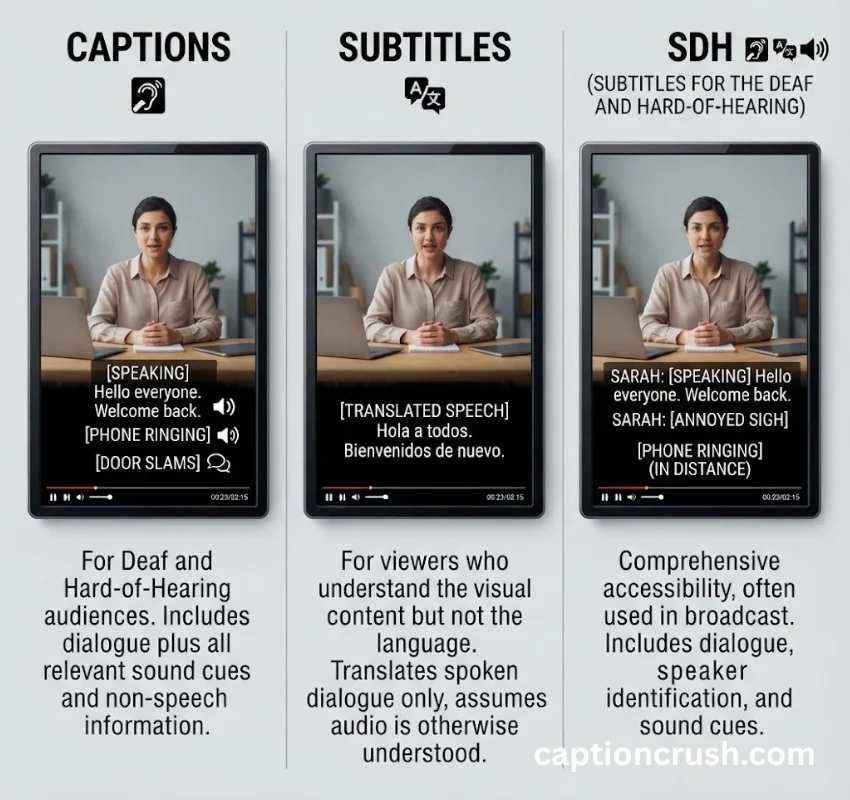
This is where most articles on open vs closed captions stop short, and it’s exactly where confusion causes real production mistakes.
What’s the difference between captions and subtitles? Captions include everything audible — dialogue, speaker names, sound effects — written for viewers who can’t hear the audio at all. Subtitles only translate spoken dialogue, on the assumption the viewer can already hear the audio just fine; they simply don’t understand the language.
What is SDH? Short for Subtitles for the Deaf and Hard of Hearing, SDH is the hybrid: it carries full caption-level content (sound cues, speaker IDs) but ships in a subtitle file format like TTML or IMSC instead of a broadcast caption stream. Streaming platforms rely on SDH because most of their players were never built to read the old broadcast caption formats.
One more distinction worth knowing: an open subtitle is translated dialogue burned into the video — different from an open caption, which includes the full audio picture, not just translated speech.
Why this matters for compliance: Regulators ask for captions, not subtitles. A translated subtitle track will not satisfy an FCC or ADA requirement, because it skips the non-speech audio information a deaf viewer actually needs.
FAQs
Are open or closed captions better?
Neither is universally better. Open captions work best for muted, feed-based platforms like Instagram and TikTok, where there’s no toggle option. Closed captions work best for YouTube, streaming, and educational content, where viewers expect control over their own screen.
What is the difference between open and closed captions?
Open captions are burned permanently into the video and can’t be turned off. Closed captions are delivered as a separate file the viewer can switch on or off through their player’s settings. The text content is the same either way.
Why does Gen Z like closed captioning?
Captions let viewers follow video without sound in public spaces, help with multitasking, and make fast or accented dialogue easier to catch. Netflix has reported that 40% of its audience keeps captions on at all times, and younger viewers make up a large share of that habit.
What does “open caption” mean in cinema?
It means a movie is shown with captions visible on the main screen for the entire theater, not just for one viewer using a personal device. These are usually scheduled as specific showtimes so deaf and hard-of-hearing audiences can plan around them.
Conclusion
Closed vs open captions isn’t really a fight between two rival formats — it’s a question of where your video lives and who’s watching. Social feeds call for open captions. Streaming and web video call for closed captions. Many creators end up using both, matched to the platform, and that’s usually the smartest move.

Timmy Abroy is a content creator and the voice behind CaptionCrush, where he shares practical tips on social media captions, creator growth, and content strategy. When he’s not writing, he’s testing what actually gets people to stop scrolling.